Guide
By Shubham SinghHow to never miss a bill payment
Set a reminder for bill payment with your phone calendar, bank alerts or Hyv, and leave time to check the amount and pay through your usual provider.
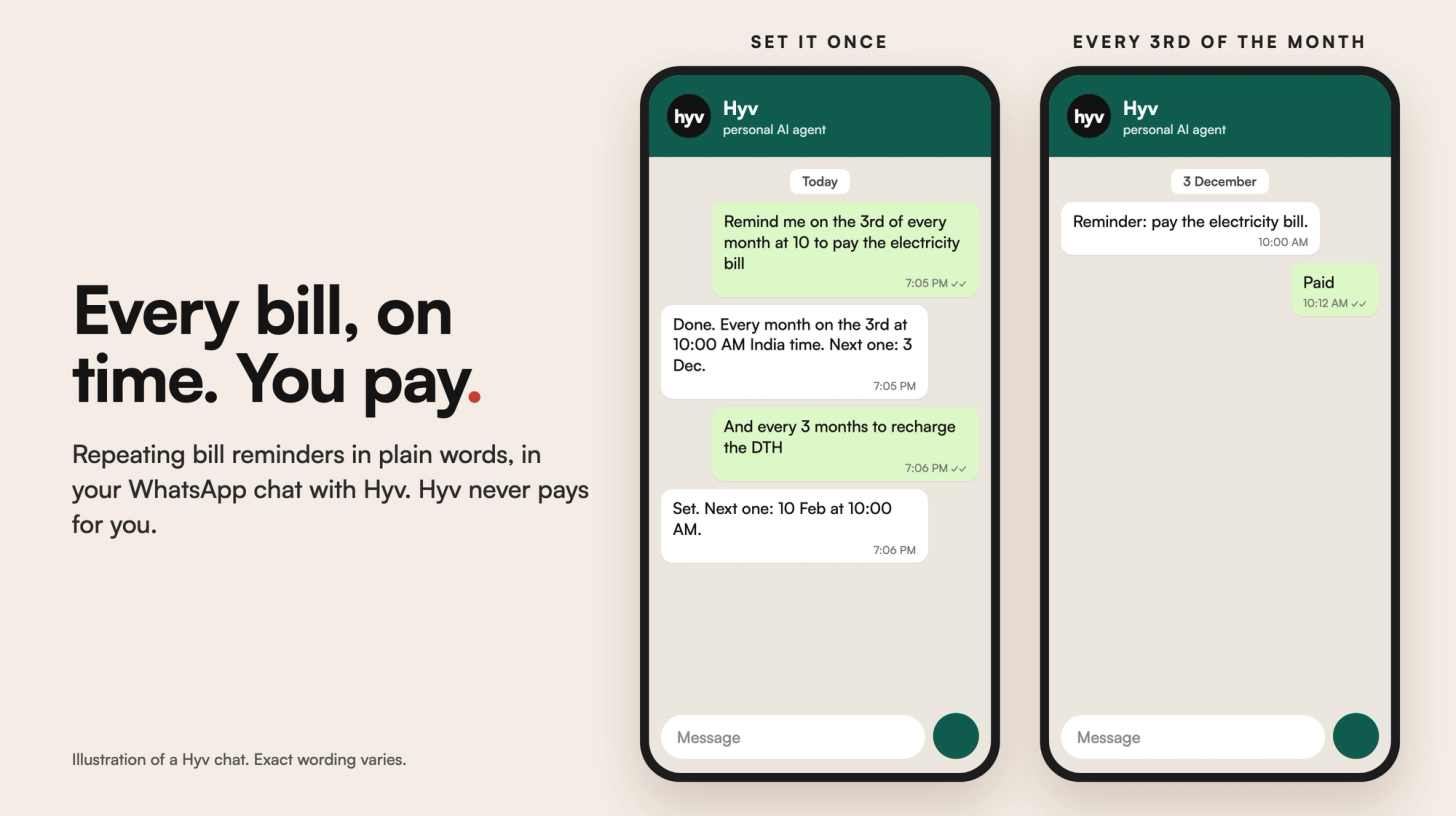
For a reminder for bill payment, start with the due date on the latest bill and set an alert before it. Use a phone calendar, your bank's alerts or a reminder in your private chat with Hyv. Leave time to check the amount and make the payment yourself. Hyv reminds you. It never pays a bill for you.
What are the ways to remember a bill payment?
- Use your phone calendar or reminders app. Name the bill and choose an alert before the due date.
- Turn on bill or payment alerts from your bank or provider, where available.
- Consider your bank's autopay if it supports that bill. Read the terms, check the amount and keep enough money in the account.
- Keep the latest bill somewhere easy to find, with its due date visible.
- Ask Hyv for a reminder if you want the nudge in WhatsApp or Telegram.
Autopay and reminders do different jobs. Autopay can make an authorised payment under your bank's rules. A reminder tells you to act. Even with autopay, check that the payment went through and keep the receipt.
How do you set a bill reminder with Hyv?
Hyv is a personal AI agent in your private WhatsApp or Telegram chat. It is invite-only.
- Open your private chat with Hyv.
- Say which bill to remember and when you want the reminder.
- For example: "Remind me on November 25 at 9 in the morning, Dubai time, to pay the electricity bill."
- Check the saved date, time and timezone in Hyv's confirmation.
If Hyv needs your timezone, it asks which city or timezone to use. Name the provider in your request if you have several bills of the same kind. Keep passwords and payment details out of the reminder.
Can a bill reminder repeat every month?
Yes. Hyv supports monthly reminders. You could ask: "Remind me every month on the 25th at 9 in the morning, Dubai time, to check the electricity bill."
Check the next occurrence Hyv confirms. A monthly reminder is useful for a regular check, but read each new bill. Its due date or amount may change. Choose a day that exists in every month if you want a simple monthly routine.
How do you handle an electricity bill with a changing due date?
Use the date printed on the current bill. Set the reminder early enough to leave room for your provider's payment processing time. After paying, check the provider's confirmation and save the receipt. When the next bill arrives, check its due date again instead of assuming the old reminder still fits.
What does Hyv not do?
- Hyv never pays a bill for you. You complete payment through your bank or provider.
- A reminder is not proof that a payment was made.
- Hyv does not promise exact-minute delivery. A reminder can arrive a few minutes late.
Will a WhatsApp reminder always appear straight away?
No. After WhatsApp's service window closes, a reminder can wait until you message Hyv again. The window lasts up to 24 hours after your last message. You may receive a short notice first. Reply to it to reopen the chat window. Use a phone alert as a backup for a payment deadline.
Hyv is invite-only. Request an invite at https://hyv.me.
Hyv is invite-only for now.
Ask for an invite and we will set you up.
More from Insights · Add Hyv as a preferred source on Google