Guide
By Shubham SinghHow to set a reminder in Telegram
Telegram's built-in ways to remind yourself, what they can't do, and how to set reminders in plain words with Hyv in your Telegram chat.
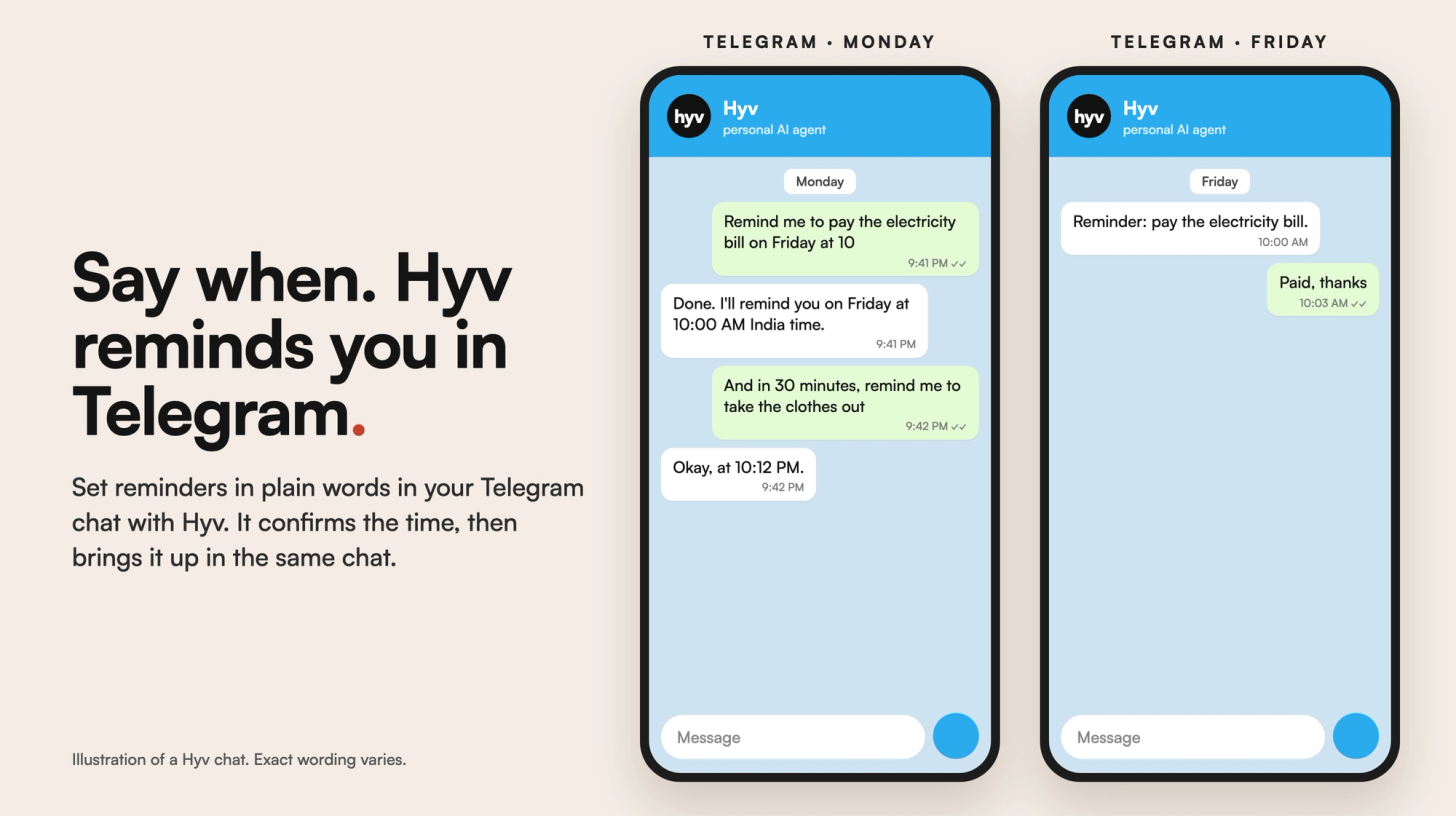
Telegram has no reminder app, but you can remind yourself by scheduling a message to your Saved Messages chat: it arrives at the time you pick. For reminders you set in plain words, with the time confirmed back to you, you can use an assistant in your Telegram chat. With Hyv, you write "remind me to pay the electricity bill on Friday at 10" and Hyv brings it up then, in the same chat.
How do you set a reminder in Telegram itself?
- Open Saved Messages, your private chat with yourself.
- Type what you want to remember.
- Press and hold the Send button and choose the option to schedule or set a reminder. The name depends on your app version.
- Pick the date and time. Telegram delivers the message then, even if your phone was offline when it was due.
You can schedule a message in any chat the same way, including a group, if the group lets you post. To see what's waiting, open that chat and check its scheduled messages.
What are the limits of Telegram's own reminders?
- One chat at a time. There's no single list of everything you've scheduled across chats.
- You set every detail by hand. Each reminder means picking a date and time in the menu.
- It's a message, not an alarm. It arrives like any Telegram message, so how loudly it alerts you depends on your notification settings.
- Reminder bots are another option. Check what each one can see before you add it to a chat.
How do you set a reminder in Telegram with Hyv?
- Open your private chat with Hyv on Telegram (or on WhatsApp; both work the same).
- Say what and when in plain words: "remind me to call the landlord on Friday morning" or "in 30 minutes, remind me to take the clothes out".
- Hyv confirms the date, time and timezone it saved, so you can correct it straight away. If it doesn't know your timezone, it asks which city to use.
- At that time, Hyv brings the reminder up in the same chat.
Reminders with Hyv work in your private chat with Hyv. Group reminders aren't supported; for a group, use Telegram's scheduled message in that group. More in How to set reminders on WhatsApp.
Questions
Does Telegram have a reminder feature?
Yes, in a way: schedule a message to your Saved Messages chat and it arrives at the time you choose. It's a scheduled message rather than a separate reminder app.
Can I set a reminder in a Telegram group?
You can schedule a message in a group if the group lets you post. Hyv's reminders work in your private chat with Hyv, not in groups.
What if I don't know my timezone setting?
Hyv asks which city to use the first time it needs it. A request like "in 30 minutes" needs no timezone at all.
Does Hyv work on both Telegram and WhatsApp?
Yes. Hyv is a personal AI agent in your private WhatsApp or Telegram chat, and reminders work the same in both.
How do I get Hyv?
Hyv is invite-only and free for now. You can join the waitlist at hyv.me.
Hyv is invite-only for now.
Ask for an invite and we will set you up.
More from Insights · Add Hyv as a preferred source on Google