Guide
By Shubham SinghHow to send a calendar invite from WhatsApp
WhatsApp events versus real calendar invites, and how to send a Google Calendar invite from a WhatsApp chat with Hyv, only after you approve.
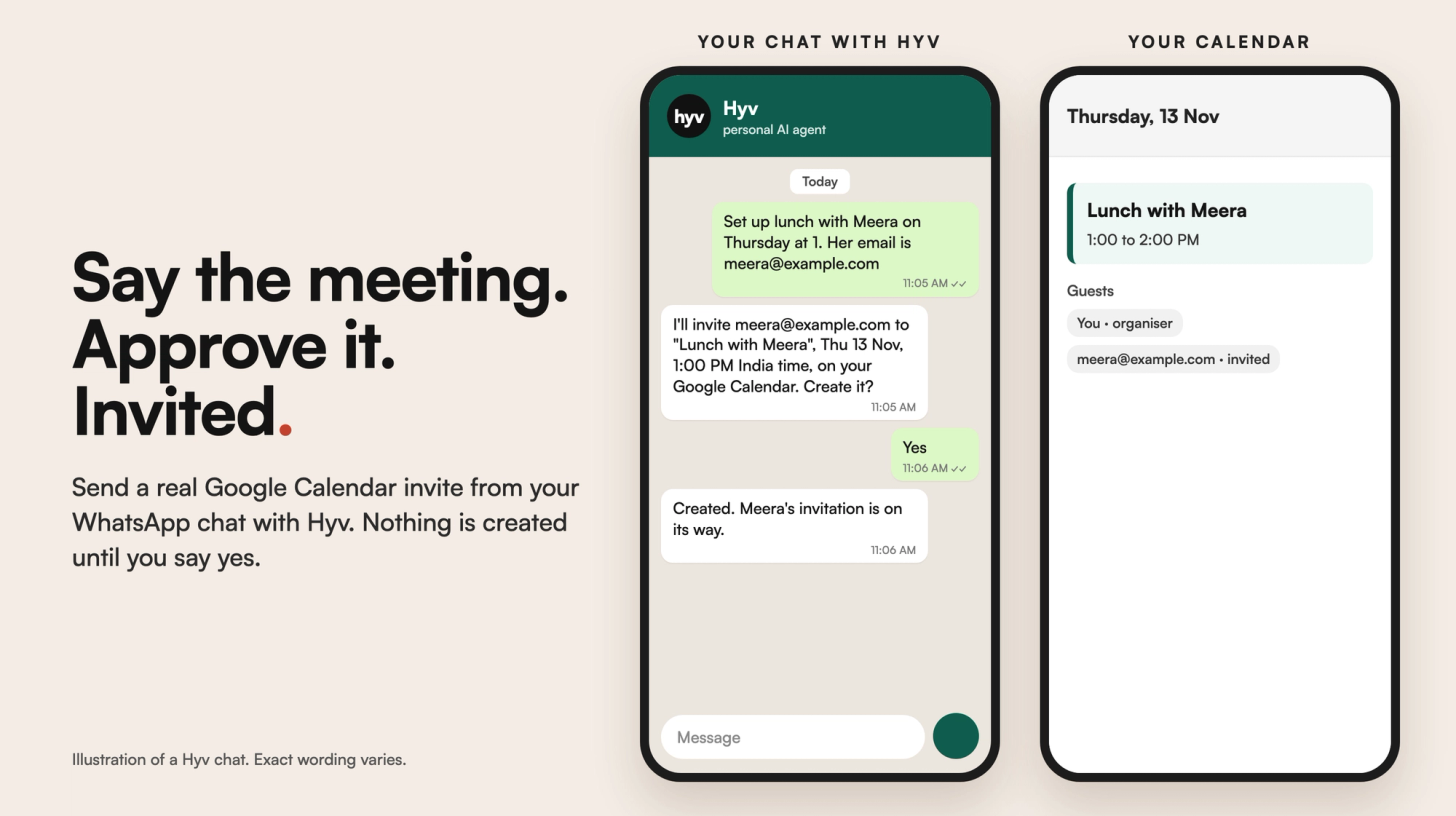
There are two different things people mean. A WhatsApp event lives inside the chat, and people respond in WhatsApp. A calendar invite lands in the other person's calendar and email. You can create a WhatsApp event from a chat where your version has it. To send a real calendar invite without leaving WhatsApp, use an assistant connected to your calendar. With Hyv, you say "set up lunch with Meera on Thursday at 1" and give her email, Hyv confirms the details, and it creates the invite in your Google Calendar only after you say yes.
What's the difference between a WhatsApp event and a calendar invite?
- WhatsApp event. Created inside a chat or group, with a name, date, time and a place or call link. People accept or decline in WhatsApp. Availability depends on your app version.
- Calendar invite. An event in your calendar that your guest receives by email and sees in their own calendar app, with a reminder from that app.
Use whichever matches where the other person keeps their plans. For work meetings, it's usually the calendar.
What are the ways to send a calendar invite from WhatsApp?
- Create a WhatsApp event from the chat's attach menu, where your version offers it.
- Make the event in your calendar app, then paste its link or details into the chat. That's two apps and some copying.
- Ask an assistant in the chat that's connected to your calendar. It creates the invite for you after you approve.
How do you send a calendar invite from WhatsApp with Hyv?
- Open your private chat with Hyv on WhatsApp or Telegram.
- Connect your Google account once, through the consent link Hyv sends you.
- Say what you want, with the guest's email: "set up lunch with Meera on Thursday at 1", then her email address. Hyv never guesses an email from a name or a phone number.
- Hyv replies with one line to confirm: the exact email it will invite, the title, the date, the time with its timezone, and which calendar.
- Say yes, and Hyv creates the event in your Google Calendar and invites your guest. The invitation reaches them by email even if they don't use Google.
Hyv tells you what Google returned, such as created or an error. An invitation isn't an acceptance, so Hyv won't say your guest has accepted. More in Send email and calendar invites from WhatsApp with Gmail.
Questions
Can I send a calendar invite through WhatsApp?
WhatsApp can create its own events inside a chat. For an invite that lands in someone's calendar, create it in a calendar app, or use an assistant connected to your calendar, like Hyv.
Will my guest get the invite if they don't use Google Calendar?
Yes. Hyv adds them as a guest, and the invitation goes to their email address, whichever calendar they use.
Does Hyv create the event without asking?
No. It confirms the email, title, date, time and calendar in one line and creates nothing until you say yes.
Can Hyv just add it to my own calendar?
Yes. If you only want it on your calendar, say so, and no guest email is needed.
Can I do this in a WhatsApp group?
Not with Hyv. Calendar invites work from your private chat with Hyv, so a group can't create events on your account.
How do I get Hyv?
Hyv is invite-only and free for now. You can join the waitlist at hyv.me.
Hyv is invite-only for now.
Ask for an invite and we will set you up.
More from Insights · Add Hyv as a preferred source on Google