Guide
By Shubham SinghHow to send an email from WhatsApp
WhatsApp can't write emails on its own. The ways to move a chat or message into email, and how to write and send a Gmail email from WhatsApp with Hyv.
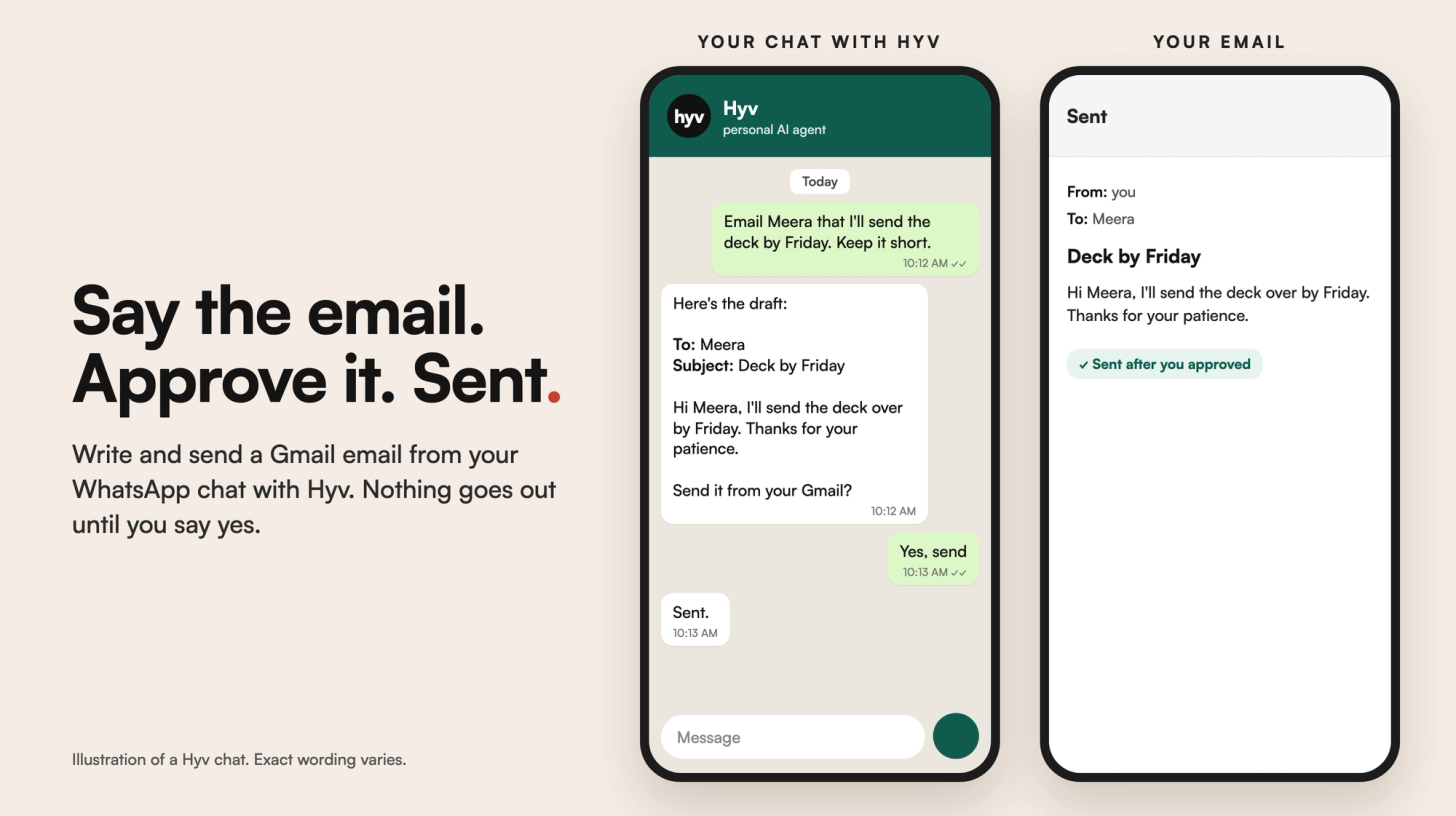
WhatsApp can't write or send an email by itself. You can move what's in WhatsApp into your email app: export a whole chat, or share or copy a message. To write and send a new email without leaving the chat, you need an assistant connected to your email. With Hyv, you say what the email should say, Hyv drafts it in your connected Gmail, and nothing is sent until you approve it.
What are the ways to send an email from WhatsApp?
- Export a chat. WhatsApp's Export chat option, in the chat's menu or contact info, sends a copy of the whole conversation to an app you choose, such as your email app. You can include media or leave it out.
- Share or copy one message. Copy the text and paste it into a new email, or use your phone's share option on the message where your WhatsApp version offers it.
- Share a photo or document. Open the file in WhatsApp and share it to your email app as an attachment.
- Ask an assistant in the chat. Say who the email is for and what it should say. The assistant writes it and sends it from your own email account once you approve.
The first three move something that is already in WhatsApp. Only the last one lets you write and send a new email from the chat itself.
How do you send an email from WhatsApp with Hyv?
- Open your private chat with Hyv on WhatsApp or Telegram.
- Connect your Google account once, through the consent link Hyv sends you. Your password never appears in the chat.
- Say what you want in plain words: "email Meera that I'll send the deck by Friday, and keep it short".
- Hyv shows you the draft. Ask for changes, or approve it.
- Only after you approve does Hyv send it from your Gmail.
The same connection covers Gmail, Calendar, Drive, Docs, Sheets, Slides and Meet, so you can also ask Hyv to draft a reply to an email or prepare a calendar invite. Those wait for your approval too. More in Send email and calendar invites from WhatsApp with Gmail.
Questions
Can WhatsApp send emails?
Not by itself. WhatsApp can export a chat or share a message or file to your email app, but it can't write a new email. For that you need an assistant connected to your email, like Hyv.
How do I send a WhatsApp chat to Gmail?
Use Export chat in the chat's menu or contact info, choose whether to include media, and pick Gmail as the app to send it with.
Can Hyv send an email without asking me?
No. Hyv shows you every email and calendar invite first, and nothing is sent until you approve it. That is by design.
Which email accounts does Hyv work with?
Hyv works with your Google account, so it drafts and sends with Gmail.
How do I disconnect my Google account?
Send /connections in your chat with Hyv to see what is connected, and /disconnect to remove it at any time.
How do I get Hyv?
Hyv is invite-only for now. You can join the waitlist at hyv.me.
Hyv is invite-only for now.
Ask for an invite and we will set you up.
More from Insights · Add Hyv as a preferred source on Google